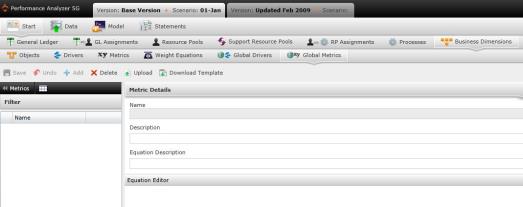
Global metrics represent a type of measurement that is used across the board at gauging some quantifiable component of a company's performance, such as return on investment (ROI), employee and customer churn rates, revenues, and so on.
To manage global metrics, select "Global Metrics" under Business Dimensions to open the Global Metrics screen.
View global metric details by clicking on a metric on the left panel. The right panel will open with the metric's name, description, and the formula used to create the metric. You can modify the equation at any time by clicking in the "Equation Editor."
To add a global metric manually:
The Weights screen will automatically open to the list of Weights on the left panel, and weight details on the right panel. In order to add a metric, you will need to select the  icon located in the left panel to open the list of Weights table.
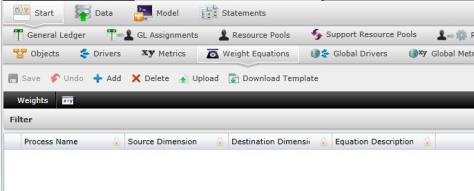
Select  . A new row will appear.
Type the data in the given columns:
- Process Name:
- Source Dimensions:
- Destination Dimensions:
- Equation Description:
Select  to save changes.
To upload a global metric using a file upload:
Select  to ensure that your file is correctly structured.
After confirming your data is correctly organized, select  . The "Upload" panel will appear. Drag and drop your files in the grayed area.
Select to save changes.
What if the records fail to upload?See Edit Failed Records.
After creating the weight, you will need to return to the originalWeight screen by selecting  . It is here where you can create an equation for your metric, as well as the equation description.
Related Topics: